
Zedge™ Wallpapers & Ringtones review
 Analysis by GetAllApps
I tend to notice a phone’s wallpaper and ringtone most when they feel out of step with the way I use it. Changing them is easy; finding choices I still like a few weeks later is harder. Zedge™ Wallpapers & Ringtones is built for that browsing habit, bringing a large catalog of visual and audio customization into one personalization app. Its appeal is immediate, but what matters more is whether it can keep a phone feeling personal without turning every spare moment into another round of scrolling.
From the first browse to a personal setup
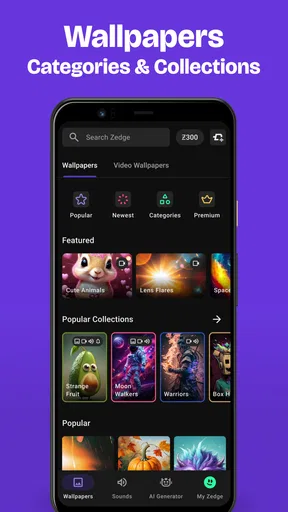
In the first session, I would treat Zedge as a discovery shelf rather than a makeover button. The useful starting point is deciding what I actually want to change: a lock-screen image, a home-screen background, a notification sound, or a ringtone that is easy to recognize. Those choices serve different purposes, and browsing with one in mind makes the app feel less overwhelming.
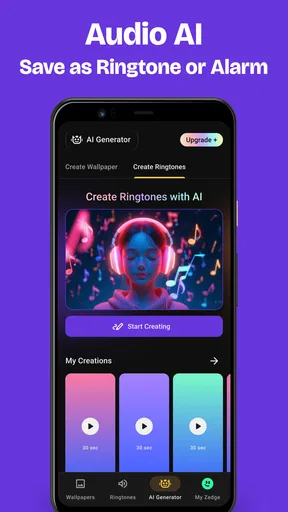
The wallpaper and sound collections give Zedge more range than a single-purpose wallpaper picker. I can look for a visual mood, then separately consider whether I want my phone to sound calmer or more distinctive. The app is free to download, which makes it easy to explore before deciding whether it deserves a regular place in my routine. The developer is Zedge, and the app sits squarely in the personalization category.
A practical first-week approach is to make one change at a time. I would try a wallpaper for a few days before adding a new ringtone, because changing several elements together makes it difficult to tell which one improves the experience. A bright, detailed image may look striking in a preview but compete with icons on the home screen. A quieter image can work better there, while a more expressive choice may suit a lock screen that I see only briefly.
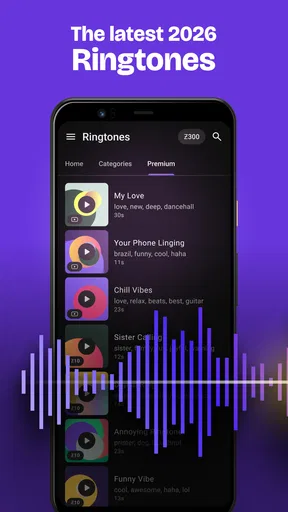
Sounds deserve the same small test. A ringtone that feels fun while browsing may become irritating if it repeats during a busy day. I would choose something recognizable without being startling, then keep a familiar alternative in mind in case the novelty wears off. This is one reason I like having wallpapers and ringtones together: the app supports a broader refresh, but I do not have to change everything at once.
Make the choices work on your phone
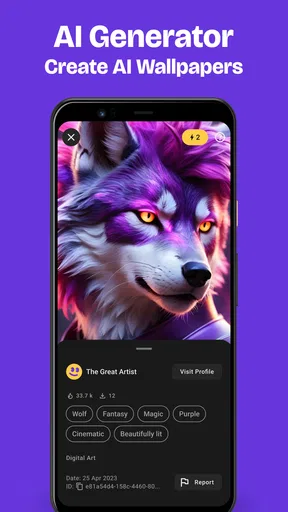
One useful habit is to judge a wallpaper in context, not only by its thumbnail. The image has to coexist with app icons, widgets, and whatever information I need to see at a glance. If a favorite image makes those elements harder to pick out, it may be a better fit for the lock screen than the home screen. That simple distinction can save a lot of repeated browsing.
I also find it helpful to browse with a short list of needs instead of a vague goal like “something new.” For example, I might want a low-key background for workdays, a more colorful image for personal use, or a notification sound that stands out from the default without feeling aggressive. These practical filters make a large catalog easier to navigate and reduce the chance of choosing something just because it looks exciting for a moment.
The app’s scale is part of the experience. Zedge has over 500 million installs, and its average rating is 4.7 from around 18 million ratings. That suggests it has broad appeal, though popularity does not guarantee that every item will suit my taste. I still need to browse selectively and decide what works for my screen, habits, and tolerance for notification sounds.
What keeps it useful after the first week
The lasting value is less about constantly changing my phone and more about having a place to return to when a change has a purpose. A seasonal wallpaper, a new work routine, or the need for a more identifiable ringtone can justify another visit. If I already like my setup, there is no benefit in replacing it merely because the catalog offers more choices.
That distinction matters because personalization apps can make novelty feel like a task. I would not use Zedge as a daily feed to check for something new. Instead, I would keep a small set of favorites and revisit the app when I have a specific reason to adjust the look or sound of my device. This is a more satisfying use pattern: the app helps solve a small, real problem rather than inventing one.
For a household or shared space, a distinctive ringtone can also make it easier to tell whose phone is ringing, provided the sound is pleasant enough to hear repeatedly. A visually calm home screen can be useful when I rely on widgets or want less distraction. These are modest benefits, but they are more likely to last than a dramatic theme chosen only for its first impression.
There is a trade-off in the breadth of choice. A big catalog can help when I know the mood or kind of sound I want, but it can also make indecision worse. I recommend stopping when a choice meets the practical need rather than assuming there is always a better option one more scroll away. That is especially helpful if I tend to spend longer selecting a background than I will spend looking at it.
Keeping the setup fresh without making it work
Maintenance can be very light if I treat the phone’s appearance as something to revisit occasionally. I would keep a short mental distinction between “works every day” and “fun to try”: dependable sounds and readable backgrounds belong in the first group, while more unusual choices can be tested when I have time to change them back. This avoids turning a quick customization into a recurring chore.
Version 9.40.1 is the current version, and the app is listed for Android devices running version 9 or later. That makes the operating-system requirement worth checking before I plan to use it. The age rating is Teen, so it is also sensible for families to consider that rating when deciding whether the app is appropriate for a younger user.
Some content and purchase options may affect how the experience feels for someone who wants everything to be free of friction. Zedge is free to install, with in-app purchases ranging from $0.49 to $399.99 per item. I would pay attention to what is offered during browsing and decide whether the free experience already meets my needs before considering a purchase. A person who wants a simple, no-cost background and rarely changes it may not get much extra value from spending.
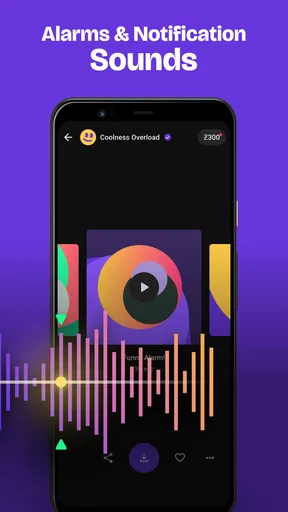
Another maintenance tip is to avoid changing a sound used for several kinds of alerts all at once. If a new tone becomes annoying, it is easier to identify the source when I have changed only one setting. I would also try a sound during ordinary use rather than judging it only in a quiet room; the best choice is one I can recognize in the situations where I actually need to notice it.
When the catalog starts to feel tiring
The same abundance that makes Zedge useful can be its main source of fatigue. Browsing without a goal can lead to a string of almost-right options, and repeated changes can make the phone feel less personal rather than more so. My advice is to pick a category of change, set a stopping point, and leave the rest for another time. The app is most enjoyable when I arrive with a purpose.
There is also a difference between customization and control. Zedge helps me find wallpapers and sounds, but it is not the right choice if what I really want is a tightly coordinated system-wide visual overhaul or a highly specific editing workflow. For that, a dedicated design or device-theme tool may be a better fit. Likewise, someone who already has a trusted collection of images and sounds may prefer using those directly rather than browsing a large catalog.
Compared with the usual alternatives, such as choosing a background from a phone’s built-in options or saving an image from a general photo collection, Zedge is more convenient when I want wallpaper and ringtone discovery in one place. The built-in picker can be faster for a simple, familiar change, while a personal photo library gives me more control over the exact image. Zedge’s strength is breadth and convenience; its weakness is that browsing can take longer than a straightforward choice from sources I already know.
I would also be cautious about choosing solely by what looks or sounds most dramatic in a preview. A high-contrast image can interfere with glanceable information, and an attention-grabbing tone can become a nuisance through repetition. Thinking about daily use before applying a choice is a better test than asking whether it feels exciting in the moment.
Who should make room for it
I would recommend Zedge to someone who likes refreshing a phone now and then, wants both visual and audio options in one app, and enjoys browsing until a choice feels right. It is particularly useful if the default ringtone has become hard to distinguish or if a familiar wallpaper no longer suits a changed routine. A focused search and one careful change can make the app feel worthwhile without demanding constant attention.
I would skip it, or use it only occasionally, if I prefer a fixed setup, dislike browsing large collections, or have no interest in changing sounds. People who mainly want one specific image may be better served by their own photo library or the phone’s built-in wallpaper controls. And anyone who finds too many choices stressful should decide what they want before opening the app, rather than hoping the perfect option will appear after endless scrolling.
Overall, Zedge™ Wallpapers & Ringtones earns lasting space when I use it as a practical toolbox, not as a reason to keep redesigning my phone. Its catalog can make a small change easy, and the combination of wallpapers and ringtones is genuinely convenient. The strongest long-term setup is still a restrained one: choose things that improve everyday use, keep what continues to work, and return only when there is a real reason to change.
Pros and cons
Pros
- Preview wallpapers before setting them on your device
- Browse ringtones by category to find a matching sound
- Save favorite items for quick access later
- Personalize wallpapers for home and lock screens
- New content keeps the catalog feeling fresh
Cons
- Some content requires a premium subscription
- Ads can interrupt browsing
- Catalog quality varies between uploads
- Live wallpapers may use extra battery
- Availability of some items can vary by region


